Publishing a SOAP Web Service in SAP: From Function Module to WSDL
Turn a remote-enabled function module into a SOAP web service, configure the binding in SOAMANAGER, get the WSDL and test it — plus the monitoring tools to use when something fails.
OData and REST get all the attention, but in real projects SOAP is still everywhere: banks, logistics partners, government portals and older middleware often expect a WSDL. The good news: on an SAP ABAP system, publishing a SOAP service from an existing function module takes about fifteen minutes.
We will build a small service that returns basic material data for a material number.
This is the classic, on-premise way (S/4HANA or ECC). For new developments in ABAP Cloud, prefer OData/RAP; in S/4HANA Cloud, SOAP services are provided through communication arrangements.
1. A remote-enabled function module
Web services generated from a function module (inside-out) require a remote-enabled module. All parameters must be passed by value.
First a structure for the result:
@EndUserText.label : 'Material info for web service'
@AbapCatalog.enhancement.category : #NOT_EXTENSIBLE
define structure zs_ws_material_info {
  matnr : matnr;
  maktx : maktx;
  mtart : mtart;
  matkl : matkl;
  meins : meins;
}
Then the function module (SE37 or ADT). Under Attributes, select Remote-Enabled Module:
FUNCTION z_ws_get_material_info
  IMPORTING
    VALUE(iv_matnr)    TYPE matnr
    VALUE(iv_language) TYPE spras DEFAULT sy-langu
  EXPORTING
    VALUE(es_material) TYPE zs_ws_material_info
    VALUE(ev_message)  TYPE bapi_msg.

  " Remote-enabled module (SE37 → Attributes → Remote-Enabled Module).
  " All parameters are passed by value – required for RFC and web services.

  DATA matnr TYPE matnr.

  " The caller sends the external format (e.g. without leading zeros)
  CALL FUNCTION 'CONVERSION_EXIT_MATN1_INPUT'
    EXPORTING  input  = iv_matnr
    IMPORTING  output = matnr
    EXCEPTIONS OTHERS = 1.
  IF sy-subrc <> 0.
    ev_message = |Invalid material number { iv_matnr }|.
    RETURN.
  ENDIF.

  SELECT SINGLE FROM mara AS m
    LEFT OUTER JOIN makt AS t ON t~matnr = m~matnr
                             AND t~spras = @iv_language
    FIELDS m~matnr, t~maktx, m~mtart, m~matkl, m~meins
    WHERE m~matnr = @matnr
    INTO CORRESPONDING FIELDS OF @es_material.

  IF sy-subrc <> 0.
    ev_message = |Material { iv_matnr } not found|.
  ENDIF.

ENDFUNCTION.
Two details that save time later:
- Return a message field instead of raising exceptions — SOAP clients handle a filled field far better than a SOAP fault for "not found".
- Apply conversion exits yourself (here
MATN1): the caller sends the external format.
2. Create the service definition
In SE37 choose Utilities → More Utilities → Create Web Service → From the Function Module (or in SE80: Create → Enterprise Service). The wizard asks for:
- Service definition name — e.g.
ZWS_MATERIAL_INFO, plus a short description. - Endpoint — our function module. Leave Map Name unchecked if you want the element names to stay exactly
IV_MATNR,ES_MATERIAL. - SOAP profile — the security level of the service.
- Package and transport request.
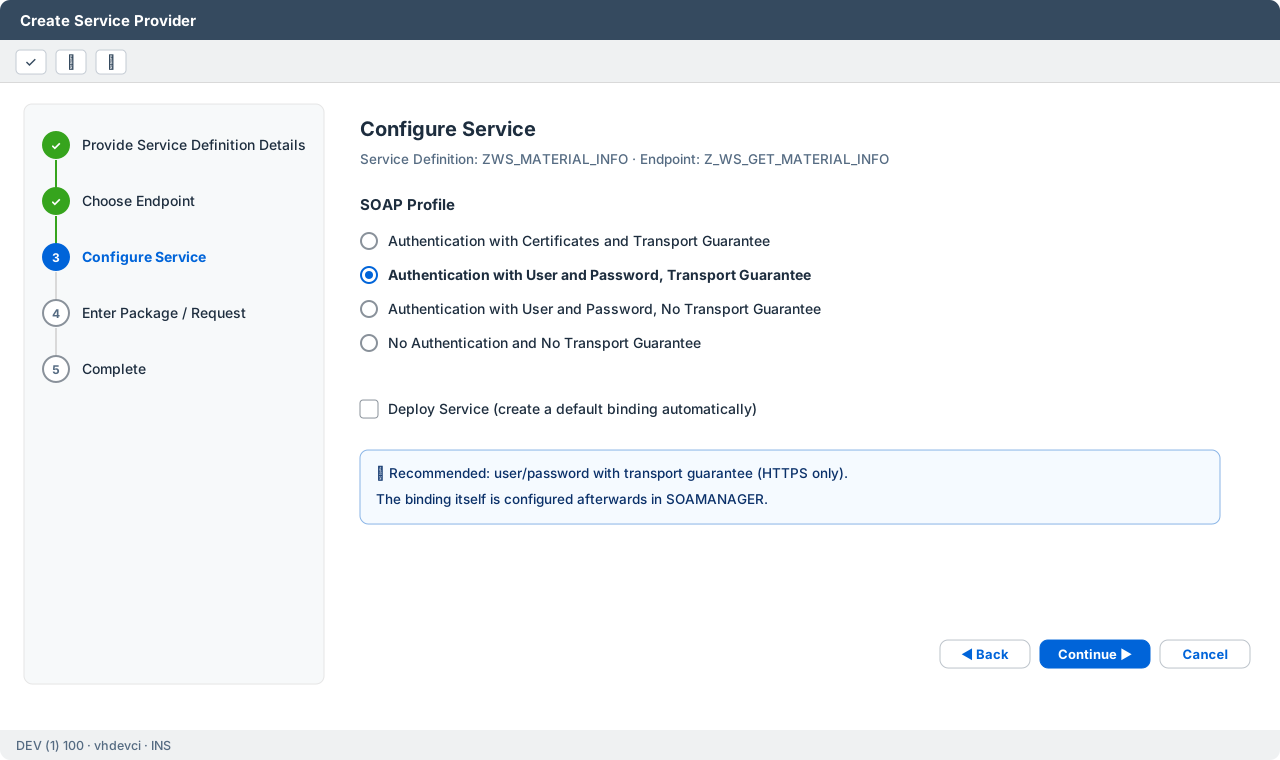
I recommend user and password with transport guarantee — authentication over HTTPS only. Activate the service definition at the end.
3. Create the binding in SOAMANAGER
The service definition only describes the interface. To make it callable, you need a binding (endpoint):
- Start transaction SOAMANAGER (opens in the browser).
- Service Administration → Web Service Configuration, search for
ZWS_MATERIAL_INFO. - On the Configurations tab click Create Service, enter a service and binding name.
- Security: Transport Guarantee = HTTPS, Authentication = User ID/Password.
- Save — the binding is active immediately.
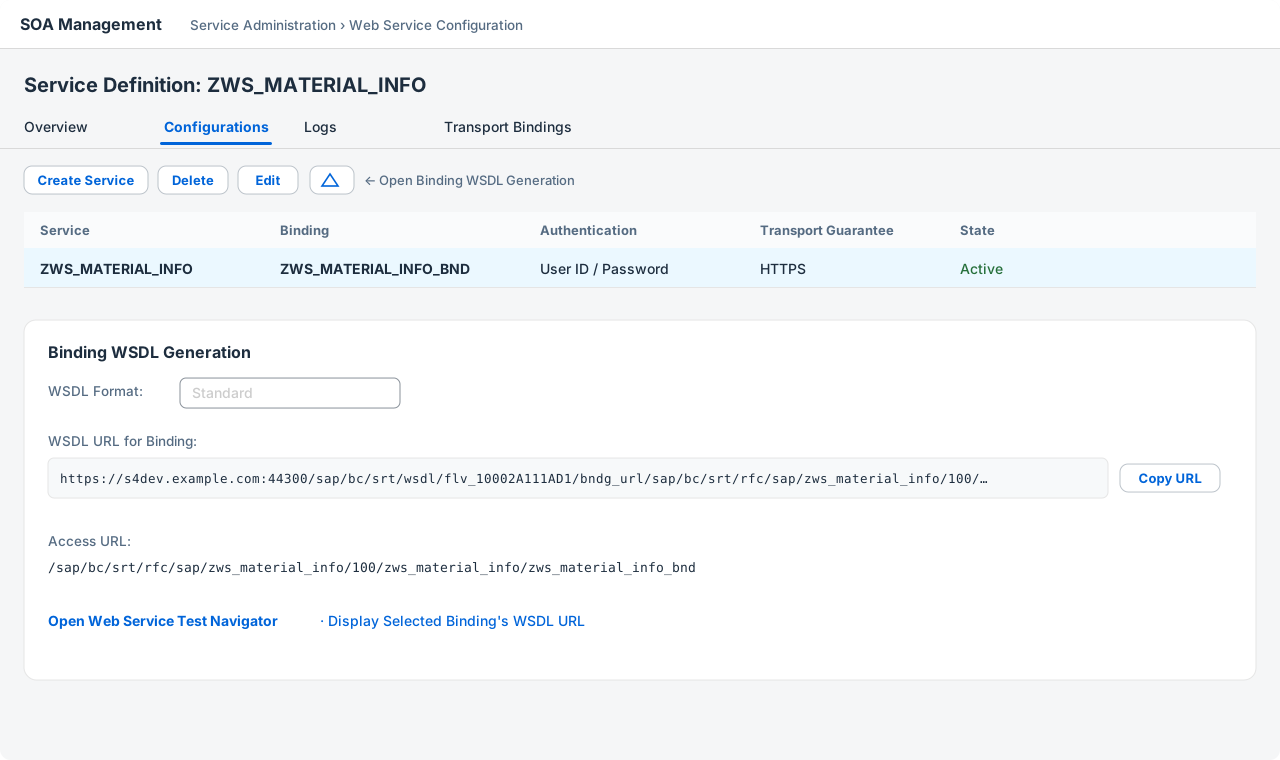
With Open Binding WSDL Generation you get the WSDL URL. This is the link you send to the partner.
4. Test the service
Import the WSDL into SoapUI (or Postman), set basic authentication and send a request:
<soapenv:Envelope xmlns:soapenv="http://schemas.xmlsoap.org/soap/envelope/"
                  xmlns:urn="urn:sap-com:document:sap:rfc:functions">
  <soapenv:Header/>
  <soapenv:Body>
    <urn:Z_WS_GET_MATERIAL_INFO>
      <IV_MATNR>MAT-1000</IV_MATNR>
    </urn:Z_WS_GET_MATERIAL_INFO>
  </soapenv:Body>
</soapenv:Envelope>
The answer:
<soap-env:Envelope xmlns:soap-env="http://schemas.xmlsoap.org/soap/envelope/">
  <soap-env:Header/>
  <soap-env:Body>
    <n0:Z_WS_GET_MATERIAL_INFOResponse xmlns:n0="urn:sap-com:document:sap:rfc:functions">
      <ES_MATERIAL>
        <MATNR>MAT-1000</MATNR>
        <MAKTX>Laptop 14 Developer Edition</MAKTX>
        <MTART>HAWA</MTART>
        <MATKL>IT01</MATKL>
        <MEINS>ST</MEINS>
      </ES_MATERIAL>
      <EV_MESSAGE/>
    </n0:Z_WS_GET_MATERIAL_INFOResponse>
  </soap-env:Body>
</soap-env:Envelope>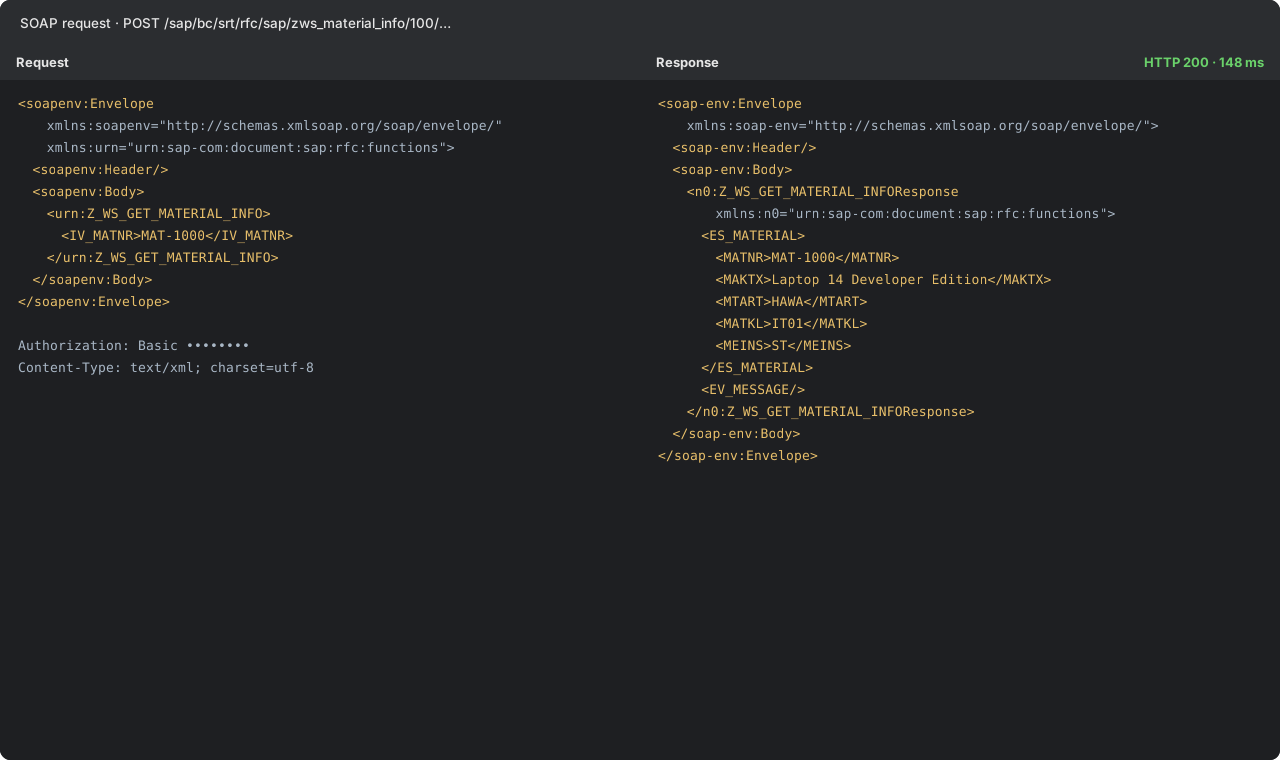
The caller needs an SAP user with authorisation for the service — object S_SERVICE (and S_RFC for the function group). A system or communication user with a narrow role is the clean solution.
5. When something goes wrong
| Symptom | Where to look |
|---|---|
| HTTP 401 / 403 | User, password, S_SERVICE / S_RFC authorisations (SU53 for the user) |
| HTTP 404 | Binding missing or SICF node /sap/bc/srt/ inactive |
| HTTP 500 / SOAP fault | Transaction SRT_UTIL: error log and payload trace |
| Wrong or empty values | Conversion exits, Map Name setting, language parameter |
In SRT_UTIL you can switch on a payload trace for a user for a limited time — the fastest way to see what was actually sent.
Summary
- Remote-enabled function module, parameters by value, messages instead of exceptions.
- Service definition from the wizard, security profile with HTTPS.
- Binding in SOAMANAGER, WSDL URL to the partner.
- Test in SoapUI, analyse with SRT_UTIL.
SOAP is not glamorous, but it is reliable — and with these steps a partner integration that "needs a WSDL" is no longer a reason to worry.
Comments